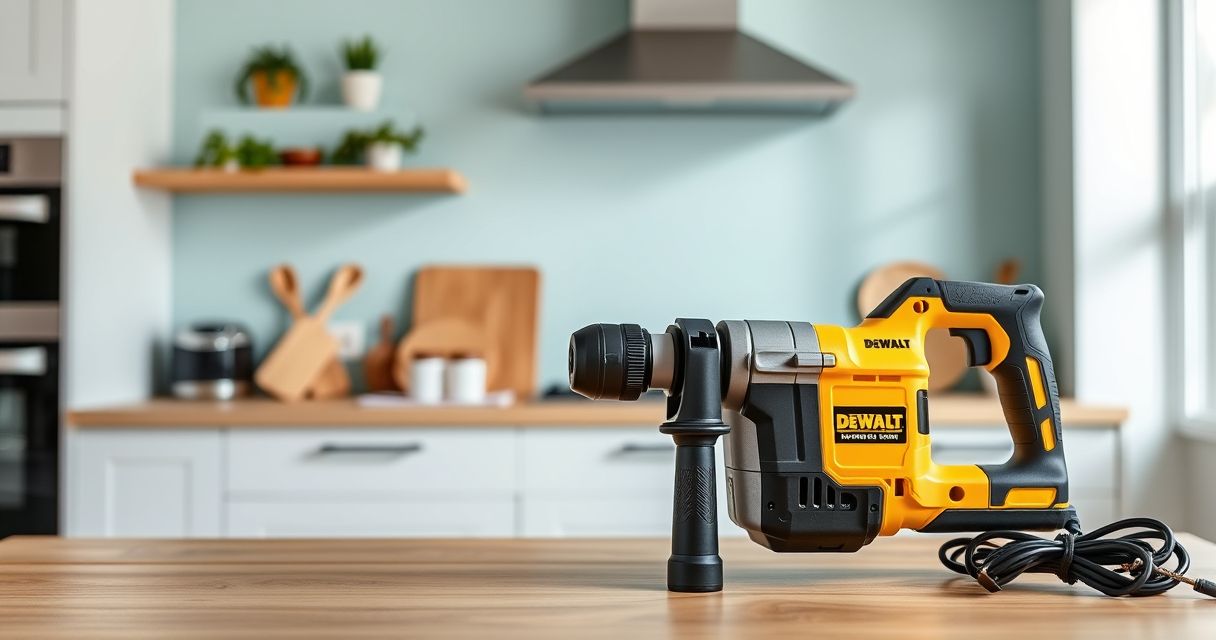

If your DEWALT power tool, such as the 20V MAX Cordless Drill and Impact Driver, keeps overheating during use, it can be frustrating and potentially damaging. Overheating can be caused by various factors, including inadequate ventilation, prolonged use, or mechanical issues. Addressing the problem promptly can prevent permanent damage and ensure your tool operates safely and efficiently.

Get business pricing on tools and workshop supplies
- Business-only prices and quantity discounts
- Tax-exempt purchasing
- Multiple users, one account, clear invoices
In this guide, you’ll find practical, step-by-step instructions to diagnose and fix overheating issues safely. Whether you’re a DIY enthusiast or a professional, these tips will help you maintain your DEWALT tool’s performance and longevity.
Key Takeaways
| Overheating causes | Prolonged use, poor ventilation, or mechanical issues can cause overheating. |
| Regular maintenance | Cleaning vents and checking for debris helps prevent overheating. |
| Proper usage | Avoid overloading the tool or using it continuously for extended periods. |
| Battery health | Worn-out or incompatible batteries can lead to overheating. |
| Safety first | Always disconnect power before troubleshooting or repairing. |
Step 1: Power Off & Disconnect Your Tool
Before attempting any troubleshooting, ensure your DEWALT tool is turned off and unplugged or the battery is removed. This prevents accidental activation and protects you from electrical shock. For cordless models like the DCK277D2, remove the battery pack carefully. For corded tools, unplug from the power source.
Step 2: Inspect and Clean Vents and Cooling Areas
- Locate the ventilation slots on your DEWALT tool. These are typically found near the motor or handle.
- Use compressed air or a soft brush to gently remove dust, dirt, and debris from vents. Blocked vents restrict airflow, causing the motor to overheat.
- Check for any buildup of debris inside the casing and remove it carefully.
Step 3: Check the Battery Condition
A faulty or worn-out battery can cause overheating. Insert a fully charged, compatible DEWALT 20V MAX 5Ah battery (such as the DCB205-2) and observe if overheating persists. If the battery is old or shows signs of damage, replace it with a new one.
Step 4: Avoid Overloading and Extended Use
Using the tool beyond its recommended capacity or for prolonged periods can cause excessive heat buildup. Use appropriate bits, avoid forcing the tool, and take regular breaks during heavy tasks. For example, when drilling into tough materials, allow the tool to cool down periodically.
Step 5: Test the Tool After Cleaning and Usage Adjustments
Reassemble your tool, reinstall the battery, and operate it in a controlled environment. Monitor the temperature during use. If overheating still occurs, proceed to further troubleshooting or consider professional repair.
Additional Tips and Precautions
- Use the right accessories: Use compatible drill bits like the DEWALT Drill Bit Set (ASIN B07DH55YRX) to prevent undue stress on the motor.
- Maintain your batteries: Keep batteries clean and store them properly to ensure optimal performance.
- Regular maintenance: Periodically check your tool for signs of wear and mechanical issues.
- Safety first: Always wear safety glasses and gloves when troubleshooting or repairing your device.
The Products in This Guide

DEWALT 20V MAX Cordless Drill and Impact Driver
- ✔ Battery Capacity: 5Ah
- ✔ Max Voltage: 20V
- ✔ Tool Length: 7.6 inches

DEWALT Drill Bit Set
- ✔ Pieces: 14
- ✔ Material: High-Speed Steel
- ✔ Tip: Split point
DEWALT 20V MAX Cordless Drill and Impact Driver
The DEWALT 20V MAX Cordless Drill and Impact Driver (DCK277D2) stands out with its lightweight, ergonomic design and brushless motor, making it a reliable choice for various projects. Its compact size and bright LED flashlight enhance usability in tight or dark spaces. Proper maintenance, including cooling and ventilation, will ensure this tool remains in top condition.
Pros:
- Brushless motor for efficiency
- Lightweight and ergonomic
- Includes two batteries and charger
- Bright LED for visibility
Cons:
- Can overheat with extended use
- Battery life may vary under heavy workload
- Requires regular cleaning for optimal performance
Best for: DIY enthusiasts and professionals needing versatile power tools
Not ideal for: Heavy continuous use without breaks or in poorly ventilated areas
Bottom line: A compact, powerful drill with smart features, needing proper maintenance to prevent overheating.
DEWALT Drill Bit Set
Complement your DEWALT drill with this durable 14-piece drill bit set, featuring a 135-degree split point tip that reduces walking and ensures precise drilling into plastic, wood, and metal. Its heavy-duty high-speed steel construction guarantees extended lifespan, even under tough conditions.
Pros:
- Durable high-speed steel
- Split point reduces walking
- Includes multiple sizes
- Corrosion-resistant coating
Cons:
- Requires proper storage
- Not suitable for heavy industrial use
- Bits may wear with frequent heavy use
Best for: DIY projects and professional tasks requiring reliable bits
Not ideal for: Heavy-duty industrial drilling
Bottom line: A versatile, durable drill bit set that enhances your drilling precision and efficiency.
Frequently Asked Questions
Why does my DEWALT tool overheat during use?
Overheating can be caused by poor ventilation, excessive or prolonged use, mechanical issues, or faulty batteries. Regular maintenance and correct usage can help prevent this.
How often should I clean the vents of my DEWALT tool?
It’s best to inspect and clean the vents every few months, especially if you notice increased heat or reduced performance. Keeping vents free of dust and debris improves airflow and cooling.
Can I use any batteries with my DEWALT drill?
Only use batteries compatible with your model, such as the DEWALT 20V MAX 5Ah batteries (ASIN B07KQU1ENG). Incompatible batteries can cause overheating or damage.
What should I do if my tool continues overheating despite cleaning?
If cleaning and proper usage don’t resolve the issue, consider replacing the battery or seeking professional repair. Persistent overheating may indicate internal mechanical or electrical problems.
Is it safe to continue using a hot DEWALT tool?
No, operating a hot tool can be unsafe and may cause further damage. Allow the tool to cool down before resuming work and always prioritize safety.
Keep Your DEWALT Tools Cool and Reliable
Overheating in DEWALT power tools is a common issue but manageable with regular maintenance and proper usage. Always ensure your vents are clean, your batteries are in good condition, and you avoid overloading the tool. By following these steps, you can extend your tool’s lifespan and maintain safe operation, ensuring your projects proceed smoothly and efficiently.
Affiliate disclosure: As an Amazon Associate we earn from qualifying purchases. Prices and availability are accurate as of the time of publishing.
Halloween Picks

Haunted Hill Farm 2-Ft. Zombie Raccoon Halloween Animatronic

10.5 ft Lighted Pumpkin and Ghost Halloween Inflatable Archway

Fun Costumes Creepy Twin Boys Halloween Animatronic
As an affiliate, we earn on qualifying purchases.