
Many DEWALT power tool users experience overheating during prolonged use, which can lead to reduced performance or even damage. Understanding the causes and knowing how to fix this issue is essential for maintaining your tools’ longevity and safety.

Get business pricing on tools and workshop supplies
- Business-only prices and quantity discounts
- Tax-exempt purchasing
- Multiple users, one account, clear invoices
This guide provides practical, step-by-step instructions to identify overheating causes and implement effective fixes, ensuring your DEWALT tools stay in top condition for all your projects.
Key Takeaways
| Overheating Causes | Overuse, poor ventilation, or mechanical issues can cause DEWALT tools to overheat. |
| Safety First | Always disconnect power before troubleshooting to prevent injury. |
| Cooling Techniques | Allow the tool to cool down before further use to prevent damage. |
| Maintenance Tips | Regularly clean vents and check for debris to avoid overheating. |
| When to Replace | Persistent overheating may indicate a need for part replacement or professional repair. |
Identify the Overheating Symptoms
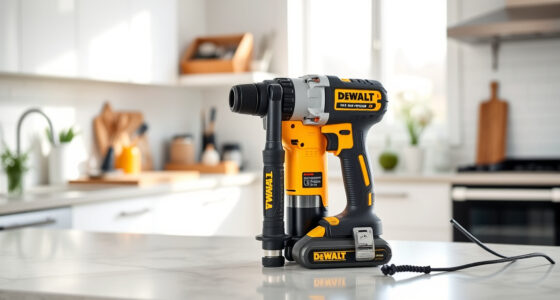
Before attempting fixes, recognize signs of overheating in your DEWALT tool. Common symptoms include excessive heat on the body of the tool, a burning smell, decreased motor performance, or the tool shutting down unexpectedly. If your cordless drill, like the DEWALT 20V MAX Cordless Drill and Impact Driver, becomes unusually hot during use, it’s a clear sign to take action.
Monitoring these signs will help you determine whether the problem is temporary or requires more in-depth troubleshooting.
Step 1: Power Down and Disconnect
- Immediately turn off the tool using the trigger or power switch.
- Unplug the tool from the power source or remove the battery if cordless.
- Allow the tool to cool down in a safe, ventilated area for at least 15-30 minutes before inspecting.
Never attempt to troubleshoot or repair a hot or overheating tool while it is still powered or hot, as this can cause injury or further damage.
Step 2: Inspect for Mechanical Blockages and Debris
- Check the vents and air pathways for dust, lint, or debris that might block airflow.
- Use compressed air to gently blow out dust from vents and internal components. Avoid inserting objects into vents, which could damage internal parts.
- Ensure that the quick-release hex chuck and bits are properly seated and not jammed.
Clogged vents prevent proper cooling, which leads to overheating, so keeping these clear is critical for safe operation.
Step 3: Verify Battery Condition
Since your DEWALT 20V MAX Cordless Drill and Impact Driver uses batteries, check if the battery is functioning properly. Faulty or aging batteries can generate excess heat and cause overheating.
- Remove the battery and inspect for swelling, corrosion, or dirt.
- Use the LED fuel gages on your DEWALT batteries to check charge status; a rapid drain or irregular readings may indicate a worn battery.
- Try swapping with a known good battery from your set to see if overheating persists.
If the battery is suspect, replace it with a compatible, fully charged battery to reduce heat issues.
Step 4: Allow the Tool to Cool and Test
After cleaning and inspecting, reassemble your tool and allow it to cool thoroughly in a well-ventilated area. Once cooled, power it on at low speed and observe if it heats up quickly.
If it operates normally without excessive heat, gradually increase usage, ensuring the tool remains cool. If overheating continues, proceed to professional repair or replacement of parts.
The Products in This Guide

DEWALT 20V MAX Cordless Drill and Impact Driver
- ✔ Weight: 3.4 lbs
- ✔ Voltage: 20V
- ✔ Battery Life: Up to 2 hours per charge

DEWALT Drill Bit Set
- ✔ Size Range: 1/16 to 3/8 inch
- ✔ Shank Type: 3-flats
- ✔ Pack Quantity: 14
DEWALT 20V MAX Cordless Drill and Impact Driver
The DEWALT 20V MAX Cordless Drill and Impact Driver offers excellent performance for various tasks. Its ergonomic design and brushless motor help reduce heat generation, but prolonged use can still cause overheating. Regular maintenance and proper usage are key to keeping it cool and functional.
Pros:
- Lightweight and ergonomic
- Brushless motor for efficiency
- Includes 2 batteries and charger
- Bright LED for visibility
Cons:
- Can overheat with extended use
- Ventilation may clog if not maintained
- Battery heat can contribute to overall temperature
Best for: DIY enthusiasts and professionals needing reliable cordless drills for varied tasks
Not ideal for: Heavy-duty continuous operation without breaks
Bottom line: Reliable power with proper care to avoid overheating issues.
DEWALT Drill Bit Set
Pair your DEWALT drill with this 14-piece drill bit set designed for plastic, wood, and metal. Its 135-degree split point reduces walking, and the high-speed steel construction ensures durability. Perfect for detailed work and heavy-duty tasks.
Pros:
- Durable high-speed steel
- Reduces walking
- Includes multiple sizes
- Rust-resistant coating
Cons:
- Requires proper bit tightening
- Limited to compatible drills
- Not for concrete or masonry
Best for: Home improvement and light to medium construction projects
Not ideal for: Heavy-duty masonry drilling
Bottom line: A versatile, durable set complements your DEWALT drill for various projects.
Frequently Asked Questions
What causes my DEWALT drill to overheat?
Overheating can result from prolonged use without breaks, blocked vents, debris buildup, or using a faulty or overused battery. Proper maintenance and usage habits help prevent this.
Is it safe to continue using the drill after it overheats?
No. Always turn off and disconnect power, allow it to cool completely, and inspect for issues before resuming use to prevent damage or injury.
How often should I clean the vents of my DEWALT tool?
Regularly, especially after heavy use or working in dusty environments. Use compressed air to clear vents monthly or as needed.
Can a faulty battery cause overheating?
Yes, defective batteries can generate excessive heat. Always inspect batteries for swelling, corrosion, or damage, and replace if necessary.
What maintenance can I do to prevent overheating?
Keep vents clean, avoid overloading the tool, allow cooling periods during extended work, and use high-quality batteries and parts recommended by DEWALT.
Keeping Your DEWALT Tools Cool and Efficient
Proper care and understanding of your DEWALT power tools can significantly reduce overheating issues. Regular maintenance, correct usage, and prompt troubleshooting help ensure your tools perform reliably on every project. Remember, safety always comes first—never work on a hot or malfunctioning tool without proper precautions.
With these tips, you’ll extend the lifespan of your tools and maintain their optimal performance, making your DIY or professional projects smoother and safer.
Affiliate disclosure: As an Amazon Associate we earn from qualifying purchases. Prices and availability are accurate as of the time of publishing.
Halloween Picks
halloween
As an affiliate, we earn on qualifying purchases.